
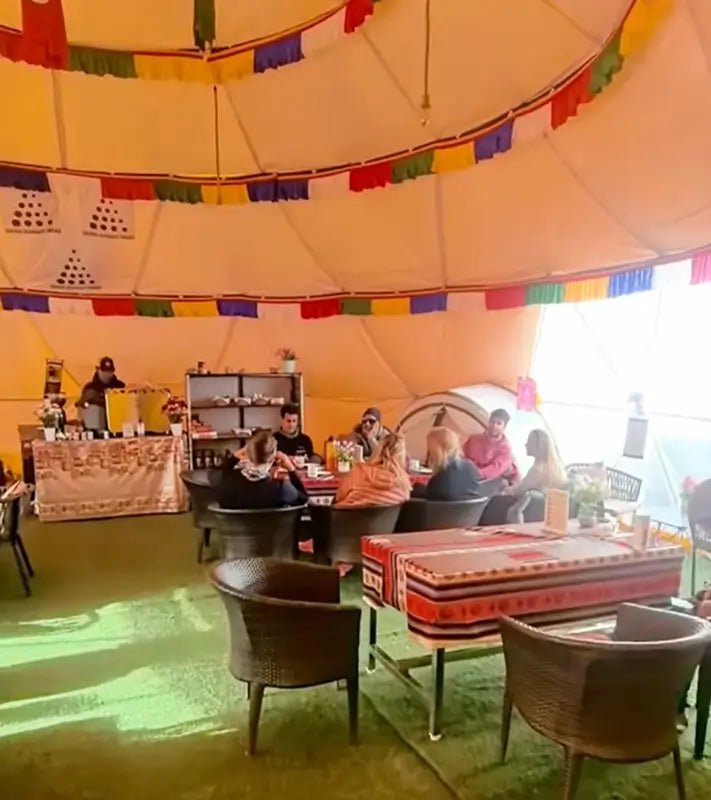
One of the most practical questions before the Everest Base Camp trek is simple: can you use your phone on the trail?
The honest answer is yes, but not in the way you use it at home. The EBC route is much better connected than many first-time trekkers expect. Villages such as Lukla, Namche Bazaar, Dingboche, Lobuche and Gorak Shep often have some form of WiFi, charging or mobile coverage. But the higher you go, the more fragile everything becomes.
Weather, altitude, power supply, local systems and too many people online at the same time can all slow things down. A smart trekker treats internet access as useful, not guaranteed.
Quick Answer
For basic messages, family check-ins, email and a few photo uploads, WiFi on the Everest Base Camp trek is usually enough. For video calls, large uploads or remote work, it can be frustrating.
The best setup is to buy a Nepal SIM card in Kathmandu, carry a power bank, use Everest Link or lodge WiFi when available, and save important documents offline before flying to Lukla.
Phone Signal on the EBC Trail
Mobile signal is generally better in lower villages and larger settlements. Lukla, Phakding and Namche Bazaar often have more usable coverage. Namche is the main hub of the route, so it usually offers better connectivity than higher villages.
After Tengboche and Dingboche, coverage becomes less predictable. Around Lobuche, Gorak Shep and Everest Base Camp, phone signal may be weak, slow or unavailable depending on weather and local conditions.
The real question is not simply “is there signal?” It is “will it work well today?” On the EBC trail, that answer can change quickly.
Nepal Telecom or Ncell?
The two main mobile providers used by trekkers are Nepal Telecom, often called NTC, and Ncell. Many visitors buy a local SIM card in Kathmandu before the trek.
In general:
- Ncell can work well in cities and lower trekking areas
- Nepal Telecom is often considered more useful at higher elevations
- Neither network should be your only safety plan
- SIM cards are best bought from official shops in Kathmandu
- Registration requirements can change, so check locally before departure
If communication is important to you, it is wise to use both a SIM card and a WiFi option rather than relying on one system.
What Is Everest Link WiFi?
Everest Link is a common WiFi provider in the Everest region. According to its public information, Everest Link wireless internet is available in many major areas along the Everest route, and prepaid WiFi cards are often sold in shops, lodges and teahouses.
The basic process is usually simple:
- Buy a WiFi card
- Connect to the relevant network
- Enter the username and password
- Use the data or time allowance
Packages, prices and coverage can change. Before buying, ask whether the card works only in one lodge or across multiple locations, and whether it is based on time or data.
Is Teahouse WiFi Reliable?
Teahouse WiFi can be useful, but it varies a lot. In Namche Bazaar, it may be good enough for messages, emails and photo uploads. Higher up, it may only handle simple text messages.
WiFi can be affected by:
- Weather
- Power supply
- Altitude
- Too many users
- Router problems
- Local network limits
After dinner, when everyone is sitting around the stove trying to message home, the connection often slows down. It is part of the rhythm of the trek.
Charging on the Everest Base Camp Trek
Most teahouses offer charging, usually for a fee. The higher you go, the more expensive and limited charging tends to become. Some villages rely on solar power or local battery systems, so cloudy weather can affect availability.
Bring:
- A reliable power bank
- Spare charging cable
- Camera batteries
- Plug adapter
- Multi-port USB charger
- A clear charging priority plan
When you arrive at a teahouse, ask about charging early. Do not wait until bedtime, when every other trekker is trying to do the same thing.
Why Batteries Drain Faster at Altitude
Cold temperatures reduce battery performance. Above Dingboche, phones, cameras and power banks may drain much faster than expected. A phone that shows 40% battery can suddenly shut down in cold wind.
Useful habits:
- Keep your phone inside your jacket
- Store power banks in an inner pocket
- Put phone and batteries in your sleeping bag at night
- Use airplane mode when you do not need signal
- Avoid long video recording in cold weather
- Turn off cameras between shots
If you plan to climb Kala Patthar for sunrise, prepare your batteries the night before. Cold mornings are hard on electronics.
What to Save Offline
Everest Base Camp internet access is not dependable enough for important documents. Save essential information before leaving Kathmandu.
Keep offline copies of:
- Trek itinerary
- Village names
- Insurance details
- Emergency contacts
- Passport and visa photos
- Flight information
- Offline maps
- Guide or agency contact
- Basic medical notes
Offline maps are especially useful. Download them before the trek, not after you reach the mountains.
How to Check In With Family
Before the trek, agree on a simple communication plan with family or friends.
For example:
- Send one message when WiFi is available
- Explain that no message for 24 hours may simply mean no signal
- Share your guide or agency contact
- Send route changes when possible
- Use text messages instead of large photo uploads at high altitude
This keeps people at home calm and helps you avoid unnecessary stress.
Do Not Take Risks for Signal
Some trekkers walk away from the lodge or climb small slopes to search for phone signal. This is not worth it in bad weather, darkness or high altitude.
If you feel unwell, stay warm and tell your guide. A message can wait. Your safety cannot.
Tips for Bloggers and Content Creators
If you are creating blog posts, videos or SEO content about the EBC trek, plan your backup system carefully.
Good habits include:
- Back up important photos each night
- Transfer camera images to your phone or storage device
- Record videos in shorter clips
- Do not depend on cloud upload
- Write notes in an offline app
- Organise files by date and location
Photos of real teahouse rooms, menus, charging points, WiFi cards, village signs and trail conditions are very useful for readers. They also help search engines and AI answer engines understand that your article is based on practical travel detail.
Final Thoughts
WiFi, charging and phone signal on the Everest Base Camp trek are better than many people expect, but still far from guaranteed. You can usually stay in touch, send updates and check basic information. You should not expect smooth video calls or daily cloud backups.
The best approach is simple: buy a local SIM card, carry a power bank, use WiFi when available and save important details offline. Then, when the signal disappears for a while, it does not become a problem.
Your phone is useful on the EBC trail. It helps you navigate, take photos and reassure people at home. But the trek itself still belongs to your legs, your lungs and the quiet routine of reaching the next village safely.

Leave a comment
All comments are moderated before being published.
This site is protected by hCaptcha and the hCaptcha Privacy Policy and Terms of Service apply.